Adding Windows Server Support#
Synergy supports Windows Server 2019, 2022, 2025. Extremely outdated versions like 2008, 2012, 2016 may work, but we do not offer support for getting them to work.
To add these operating systems go to OS Reloads > ISO Manager and upload the ISO(s). Wait for the ISO upload to complete.
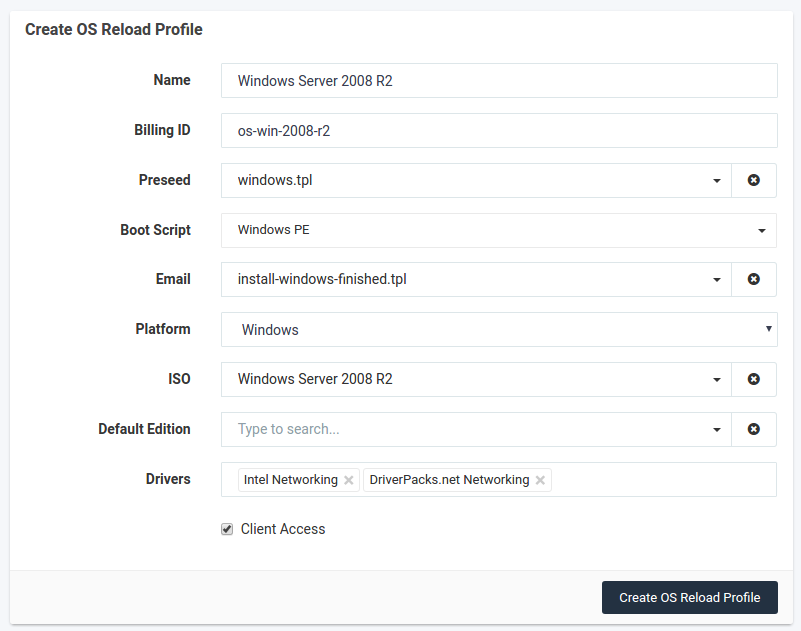
Then, go to OS Reloads > Profiles and add a Profile for each ISO.
Servers on a
/31subnet: Windows cannot use a255.255.255.254subnet mask, so the SynergyCP DHCP server automatically answers Windows clients on a /31 lease with255.255.255.255. Nothing needs to be configured. See Windows servers on /31 subnets.
Example configuration: